CarePortal Onboarding

CarePortal Onboarding

CarePortal Onboarding

Product Designer II

December 2025

CarePortal is a platform that connects church volunteers with vulnerable families in need, enabling communities to respond to specific requests from caseworkers supporting children at risk or in foster care.

CarePortal is a platform that connects church volunteers with vulnerable families in need, enabling communities to respond to specific requests from caseworkers supporting children at risk or in foster care.

CarePortal is a platform that connects church volunteers with vulnerable families in need, enabling communities to respond to specific requests from caseworkers supporting children at risk or in foster care.

The Challenge

New CarePortal responders were becoming dormant shortly after signing up. Since dormant users are difficult to interview and re-engage, we needed a proactive approach: reduce dormancy by delivering immediate value, creating intentional organizational connections from day one, and tailoring the experience to each user's goals.

My Role

I designed the segmented onboarding experience, creating role-based flows that route users down tailored paths based on their goals and guide them toward meaningful organizational affiliations from the start.

Tools

Figma, FigJam, Notion, Useberry

Impact

Designed to tackle dormancy proactively: Instead of waiting for users to become inactive, the experience provides immediate role clarity and organizational connections to build engagement from the first session.

Prepared the platform for scale: The role-based architecture can accommodate new user types and increased volume as the product grows.

Created role-based user paths: New users immediately connect with their organization and understand their specific role, setting them up for ongoing engagement.

Built in business value from day one: While streamlining the user experience, the design strategically captures organizational data and affiliations that support business development.

The Solution

A segmented onboarding flow that identifies each user's role early and delivers a tailored experience with immediate organizational connections and clear next steps.
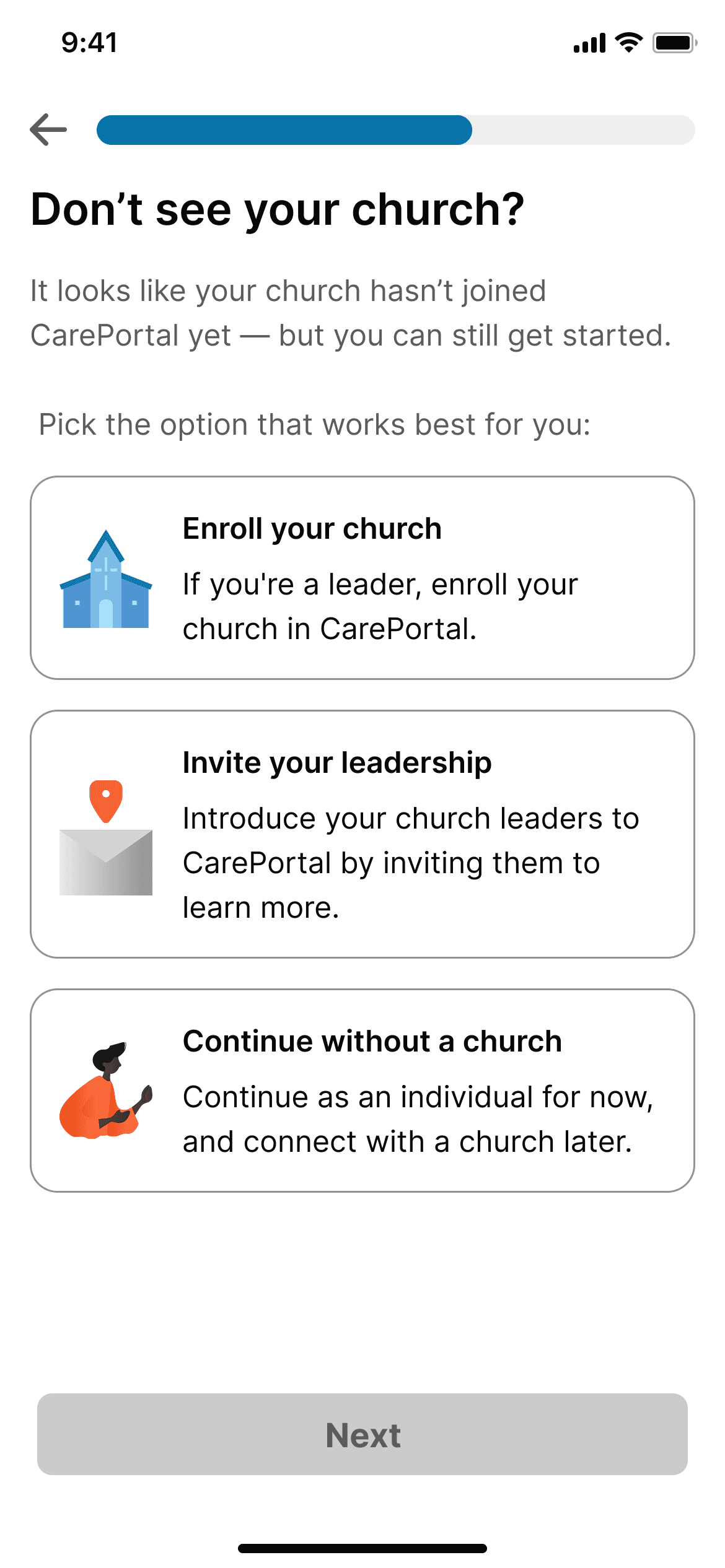
CarePortal onboarding screen asking if user has a church, with three enrollment options
Confirmation screen showing message has been sent with location pin icon
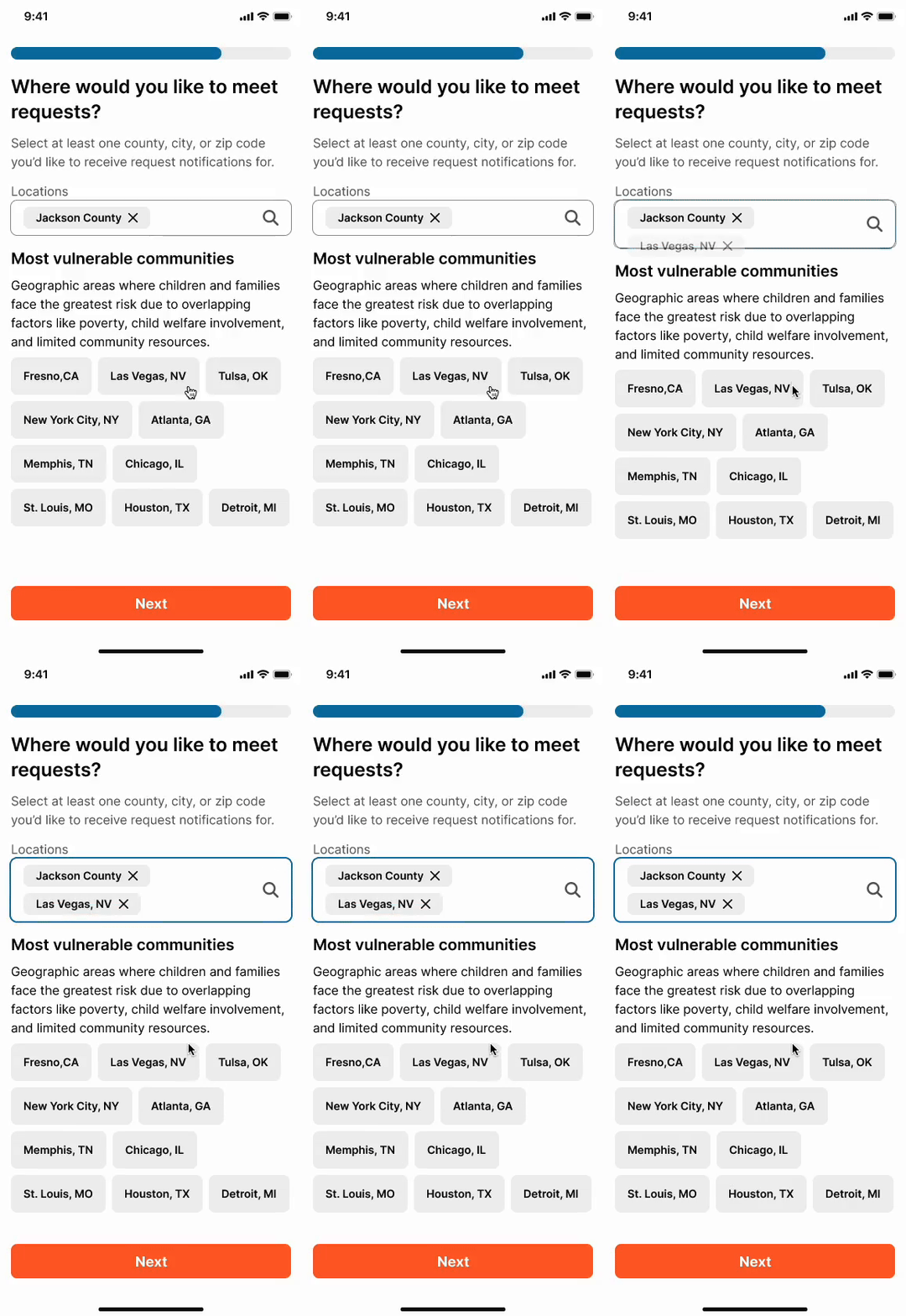
Location selection screen for choosing where to receive family assistance requests with vulnerable community listings
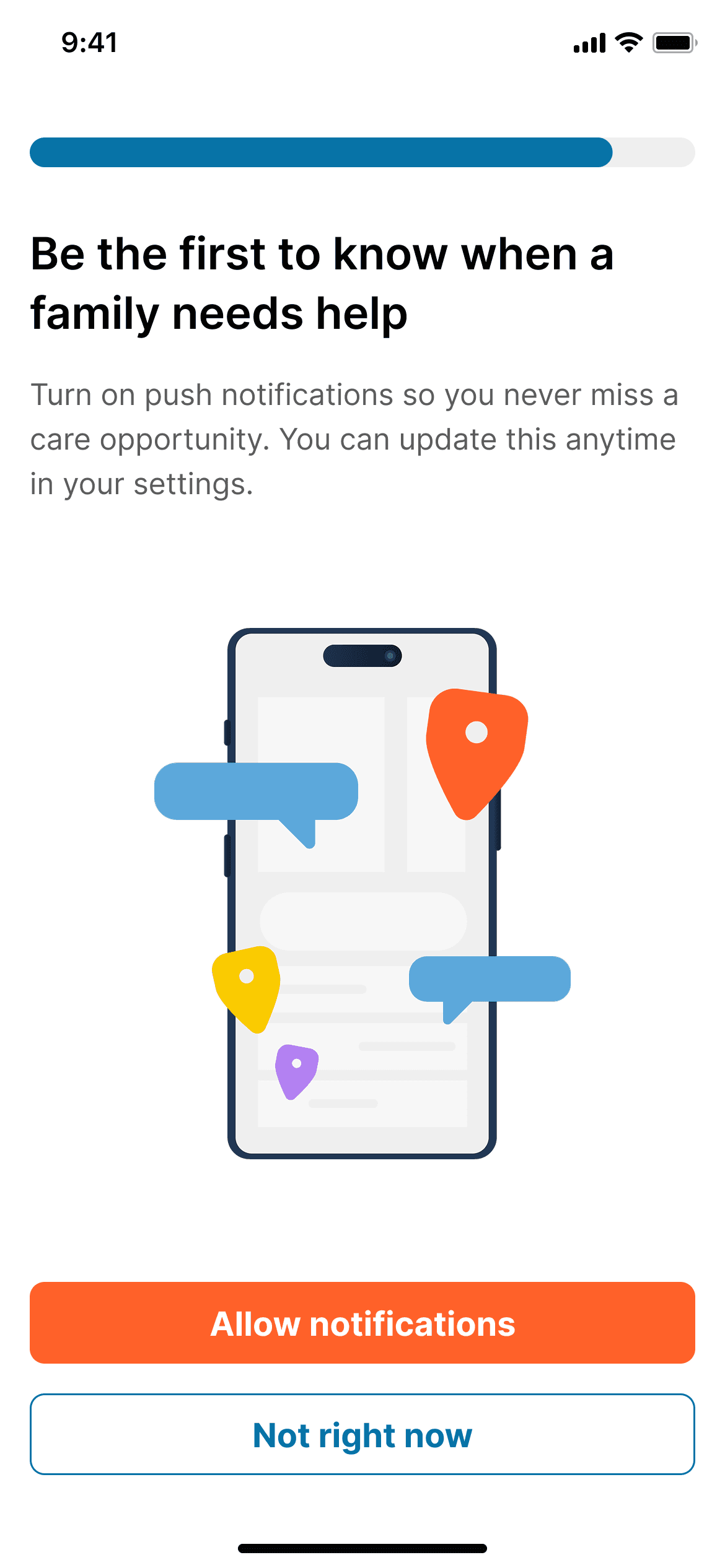
Notification permission request screen with phone illustration and location pins
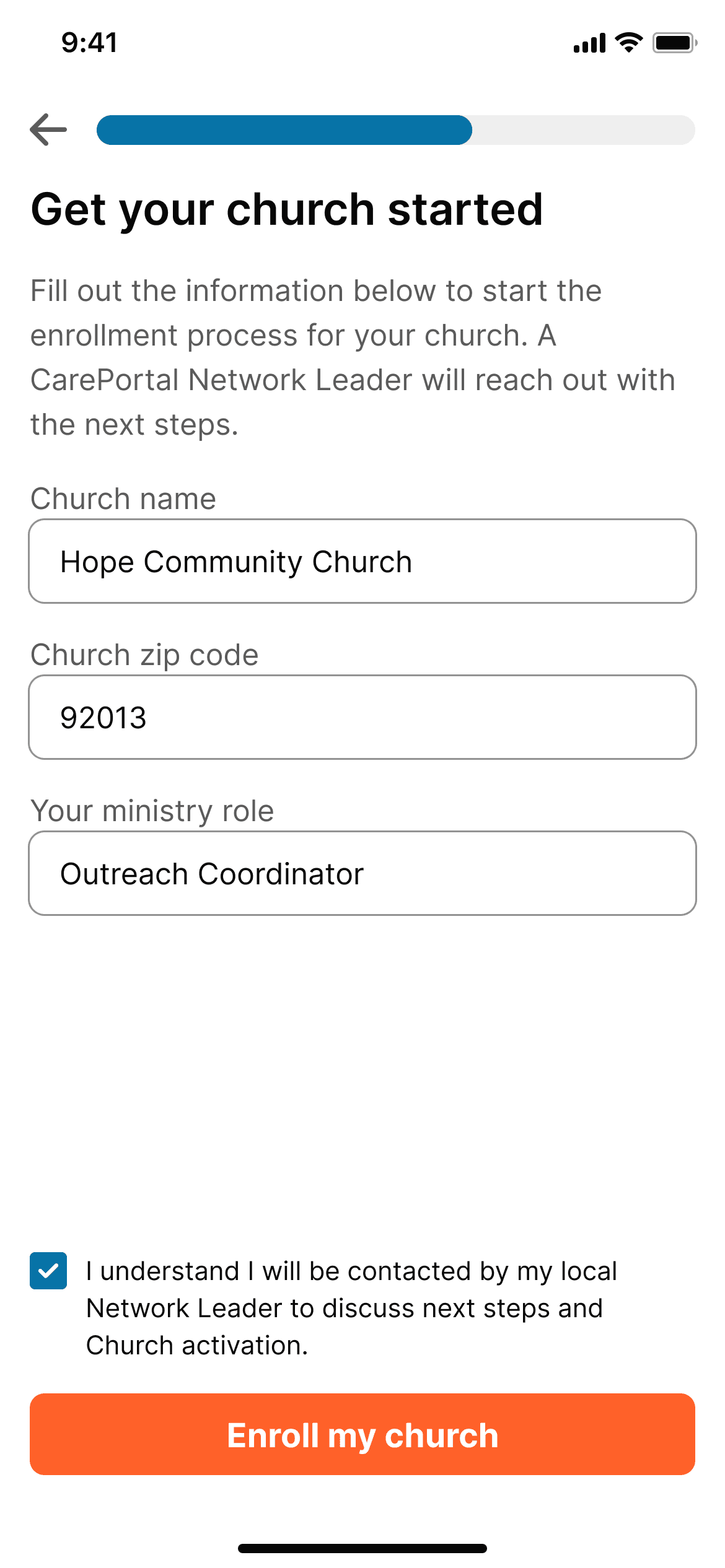
Church enrollment form with fields for church name, zip code, and ministry role
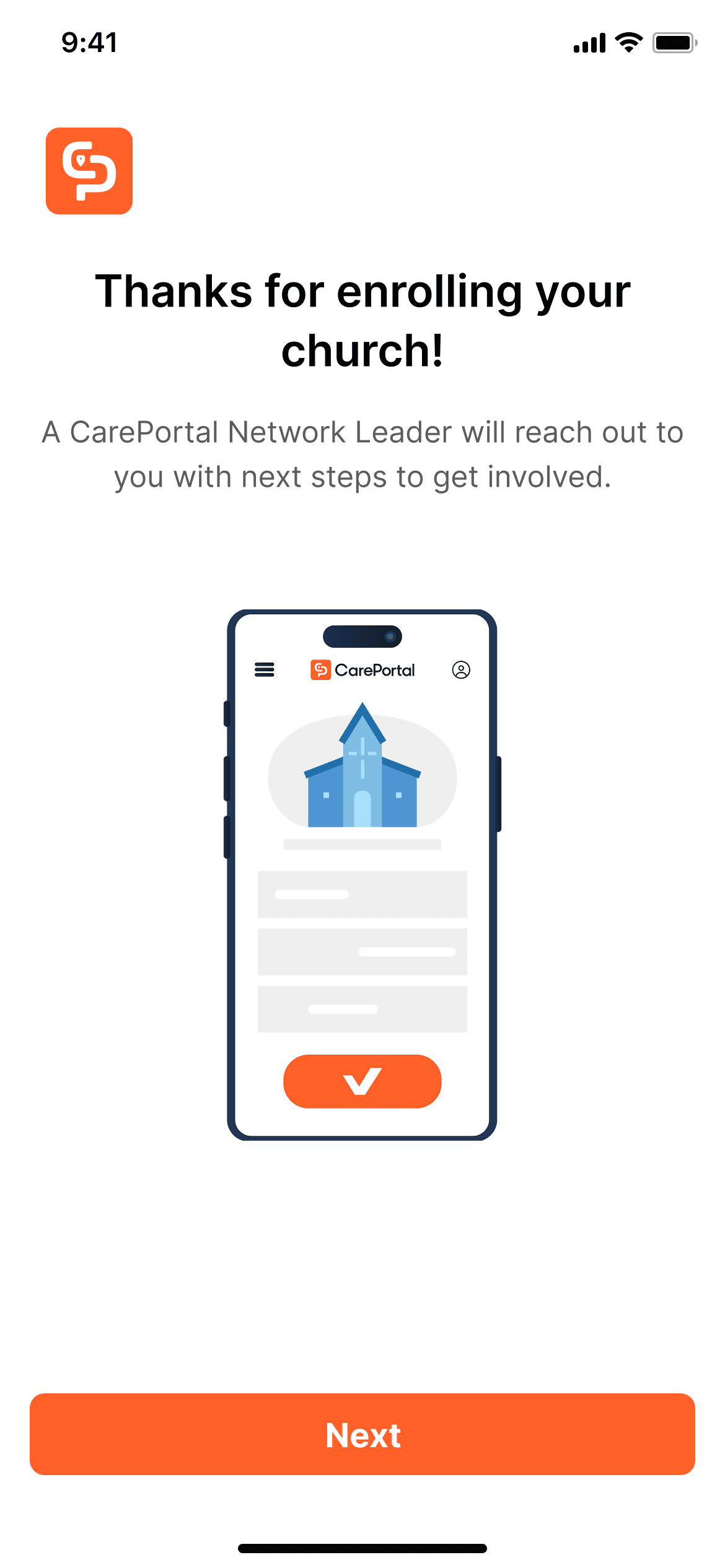
Enrollment confirmation screen thanking user with church building icon on phone illustration